


Google Ads No Conversions? Follow This Diagnostic Order
The dashboard says clicks: 47. Conversions: 0. Spend: real money, already gone. Every instinct says pause the campaign, rewrite the ads, or double the budget to “get more data.” Almost every one of those instincts, done first, makes the problem harder to diagnose — not easier.
Search any version of “Google Ads no conversions” and you’ll find a dozen near-identical checklists: check tracking, check keywords, check landing page, check budget. All true. None of them tell you which to check first, or how to tell whether you actually have a problem yet versus just an unlucky small sample. Here’s the order that actually resolves this fastest, and the one step almost every guide skips entirely.
Google Ad Not Getting Impressions — or Getting Clicks but No Conversions?
Before diagnosing a conversion problem, determine where the campaign is actually failing. A Google ad not getting impressions requires a different investigation from a campaign that receives clicks but records no conversions.
“Google Ads isn’t working” usually means one of three different problems, and they have different fixes:
- Zero or near-zero impressions. Your ad isn’t showing much at all. This is a bid, budget, approval, or Quality Score issue — not a conversion problem, and the fixes below won’t help.
- Clicks, but no recorded conversions. Money is being spent, people are visiting your site, but the dashboard shows nothing on the other end. This is what this article covers.
- Conversions are happening but not being recorded. This looks identical to the case above from inside Google Ads, but the real problem is measurement, not performance — and it’s more common than most advertisers assume.
If you’re seeing healthy impressions and clicks but a flat zero on conversions, keep reading — and start with the possibility that your tracking, not your campaign, is the actual problem.
Step 1: Google Ads Conversion Tracking Not Working? Check This First
This is the step to do before touching anything else, because it’s free, it’s fast, and a broken tracking setup will make every other diagnosis meaningless — you could fix targeting perfectly and the dashboard would still show zero.

In Google Ads, go to Goals > Conversions > Summary and check the status of each conversion action. An Active or Recording conversions status is a positive signal. However, No recent conversions does not automatically mean the tag is broken: a low-traffic account may simply not have generated a recent conversion. Treat Unverified, Inactive, Tag not set up, and Needs attention as prompts for investigation, then verify the implementation with Google Tag Assistant.
Three specific setup mistakes cause most of these false zeros, and they’re worth checking by name rather than just “checking tracking” in the abstract:
- A mismatched Conversion ID, Label, or `send_to` value. Your tag can fire correctly in Google Tag Manager — visible in GTM’s own debug view — while Google Ads still shows zero, because the tag is pointing at the wrong conversion action.
- Consent Mode configured incorrectly. Consent settings can limit observable conversion data and affect modeling when consent is denied. For EU and DACH advertisers, verify that Consent Mode v2 sends the correct default and updated consent states instead of assuming every unrecorded conversion is a tag failure.
- The conversion action set as Secondary instead of Primary. Secondary conversions don’t feed the main “Conversions” column or automated bidding, so the campaign can look like it’s converting nothing while quietly recording actions elsewhere in the account.
Then test the path directly using the Troubleshoot flow and Google Tag Assistant instead of clicking your own live ad. Complete the conversion action on your site and confirm that the correct tag fires with the expected Conversion ID and Label. Allow for reporting and diagnostic-status delays, then compare the result with what your CRM, booking system, or order platform recorded. A persistent mismatch between Google Ads and your own system points to a measurement or attribution problem, not automatically to poor campaign performance.
If your business regularly closes deals offline — a phone call, an in-store visit, a sales team follow-up — after an online click, make sure offline conversion import is set up. Otherwise the sale is real, but Google Ads has no way to ever see it, and the account will look permanently broken even when it’s working exactly as intended.
Step 2: Check whether you actually have enough clicks to expect a conversion

This is the step almost every other guide on this topic skips, and it’s often the actual explanation. Conversion rates vary enormously by industry — LocaliQ’s 2026 Search Advertising Benchmarks report, covering thousands of Google and Microsoft Ads accounts across 20 industries, put the overall average conversion rate at 8.18% — but several common B2B and high-consideration categories sit far below that.
| Industry | Average conversion rate (2026) |
|---|---|
| Finance & Insurance | 2.64% |
| Furniture | 2.99% |
| Career & Employment | 3.05% |
| All-industry average | 8.18% |
| Automotive (Repair, Service & Parts) | 15.51% |
| Animals & Pets | 16.22% |
Here’s why that matters more than it looks like it should. If your industry genuinely converts at around 3%, the probability of seeing zero conversions from a small batch of clicks purely by chance is much higher than most advertisers expect — not because anything is broken, but because that’s how probability works with small samples. Roughly: (1 − conversion rate) raised to the power of your click count.
At a 3% conversion rate, 20 clicks still has a slightly-better-than-even chance of producing zero conversions by chance alone, even with a perfectly healthy account. At 50 clicks, that chance drops substantially — but it doesn’t hit zero. This is exactly why judging a campaign after a few days and a few dozen clicks so often leads to the wrong conclusion: the sample was simply too small to tell anything yet, in either direction.
| Clicks | Probability of zero conversions at a 3% expected rate |
|---|---|
| 20 | 54% |
| 50 | 22% |
| 99 | 5% |
These figures illustrate probability, not a universal decision rule. Your real baseline should reflect the conversion definition, campaign type, brand versus non-brand traffic, device mix, location, offer, and the time customers normally take to convert.
Check conversion lag before judging recent clicks
If customers usually take several days to enquire, book, or purchase, the newest clicks have not had the same opportunity to convert as older clicks. Review the date range, conversion window, and days-to-conversion data before treating recent traffic as a final result.
The practical takeaway: before concluding something is broken, check your industry’s typical conversion rate, then check whether your click count is anywhere near large enough to expect a conversion at that rate. A B2B or high-ticket account with 15 clicks and zero conversions after two days isn’t necessarily failing — it may just not have enough data yet.
Step 3: Review the Search Terms Report Before Changing Your Campaign
Once tracking and sample size are ruled out, the Search Terms Report is the next stop — it shows the exact phrases people typed before clicking, not just the keywords you targeted. Broad match keywords in particular can pull in searches only loosely related to what you sell, generating real clicks from people who were never going to convert.
Look for patterns: informational searches (“what is,” “how does,” “examples of”) mixed in with your commercial keywords, geographic mismatches, or searches for a product or service you don’t actually offer. Common low-intent terms worth adding as negative keywords by default include “free,” “cheap,” “jobs,” “salary,” “how to,” “DIY,” “tutorial,” and competitor names, then adjust from there based on your own Search Terms Report. Consider moving from broad match toward phrase or exact match if the mismatch is severe.
If you’re running Search Partner Network or Display expansion alongside your main campaign, check performance for those placements separately — they can generate real clicks with little buying intent, and excluding them is usually faster than fixing keyword match types alone. This won’t fix a tracking problem or a too-small sample, but it’s a real and common cause once those two are confirmed clean.
Step 4: How to Improve Conversion Rate in Google Ads With a Better Landing Page
If tracking works and the campaign attracts relevant searches, the next step is improving the percentage of visitors who take action. One of the most effective ways to improve conversion rate in Google Ads is to make the landing page closely match the keyword, ad message, and user’s expected next step.
A click is interest, not intent to convert — the landing page has to close that gap immediately. If the ad promises a specific service, price, or offer and the landing page is a general homepage, generic service list, or anything the visitor has to hunt through, motivation drops fast.
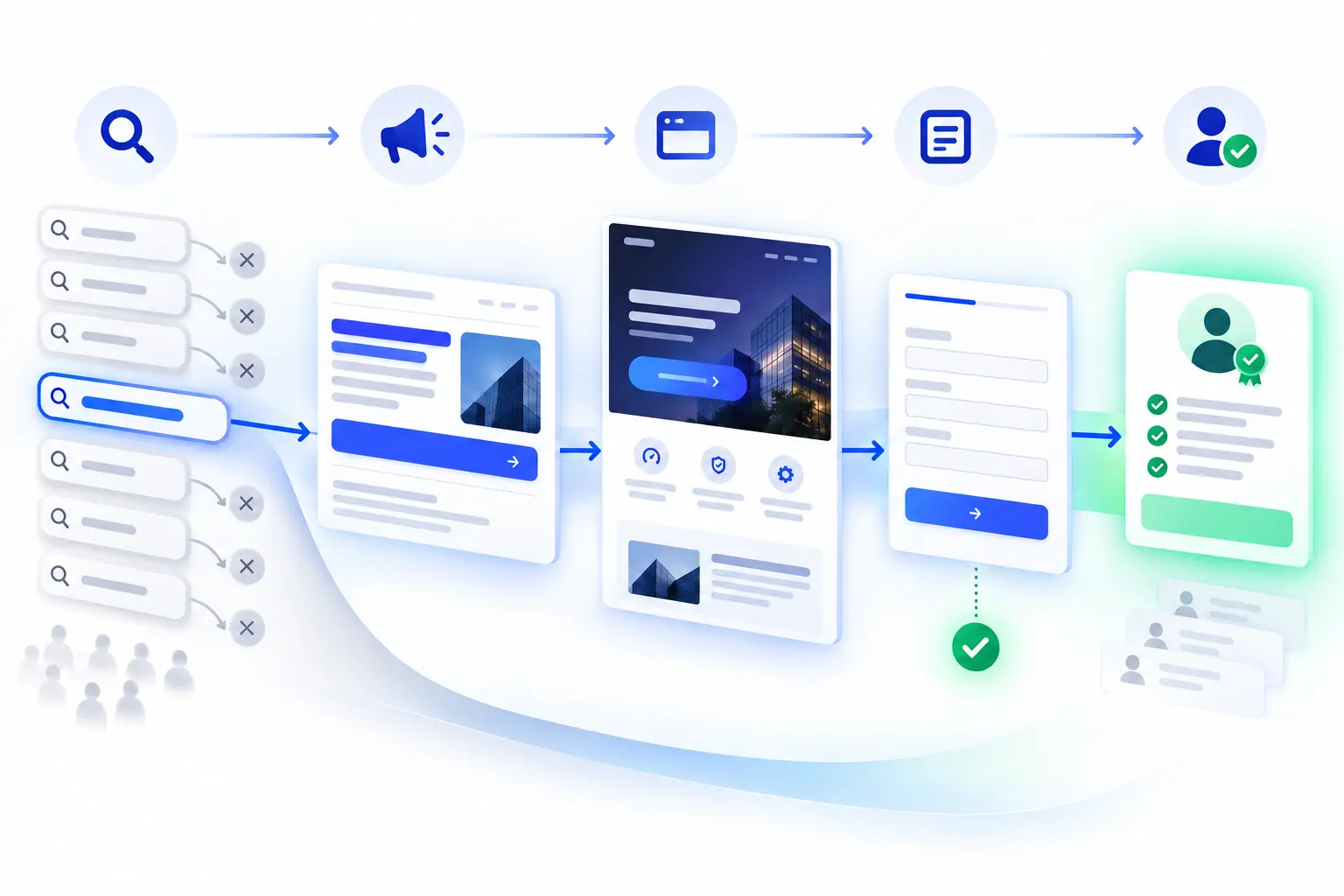
The headline, offer, and next step on the landing page should mirror the ad closely enough that the visitor never has to wonder if they clicked the wrong thing. One clear call to action beats several competing ones, and page load speed matters here specifically because Google Ads traffic often arrives with less patience than organic traffic — someone who searched and clicked a paid result is used to instant results.
If the message matches and the page loads fast but conversions are still flat, check whether the offer itself is competitive — price, terms, or perceived value that’s genuinely worse than what’s visible elsewhere in the search results will suppress conversions even on a well-built page.
Step 5: Improve Your Google Ads Conversion Rate With Better Targeting
If tracking, sample size, search terms, and landing page are all clean and conversions are still flat, audience mismatch is the remaining likely cause. In the Demographics section of Google Ads, look for segments — age, location, device — with high click volume but consistently zero conversions. That pattern usually means the ad is reaching people, but not the right people.
For Display and Performance Max campaigns specifically, check placement reports for low-quality sites or apps generating clicks with no real buying intent, and exclude them directly.
What Not to Do When Google Ads Is Not Getting Conversions
- Don’t pause the whole campaign after two or three days. That’s rarely enough data to separate a real problem from ordinary variance, especially in lower-conversion-rate industries.
- Don’t raise the budget to “get more data” before fixing tracking. If conversions aren’t being recorded, more spend just produces more unmeasured clicks.
- Don’t change five things at once. Adjusting keywords, landing page, audience, and bids in the same week makes it impossible to know which change actually mattered.
Staring at a Google Ads account full of zeros?
Klucco can audit your tracking, search terms, and landing pages, and tell you honestly whether the problem is measurement or performance.
Google Ads No Conversions: Diagnostic Checklist
- Check conversion status in Goals > Conversions > Summary.
- Run a test conversion with Google Tag Assistant and compare the result against your CRM or order system.
- Check conversion lag and make sure recent clicks have had enough time to produce a result.
- Look up your industry’s typical conversion rate and check whether your click count is large enough to expect a conversion yet.
- Review the Search Terms Report for mismatched or low-intent queries.
- Confirm the landing page mirrors the ad’s headline, offer, and next step.
- Check demographics and placement reports for segments with clicks but zero conversions.
Work down this list in order. Most “no conversions” accounts get resolved somewhere in the first two steps — the rest is genuinely useful, but rarely where the actual problem turns out to be.
Google Ads Conversion FAQ
Want a second set of eyes on your Google Ads account?
Talk to Klucco about your specific account, industry, and goals — a diagnosis based on your actual data, not a generic checklist.
